Beyond SEO: The Seven Areas a Full Website Audit Should Cover
A full website audit checks seven areas, not just SEO: search, AI visibility, backlinks, security, compliance, speed and visual, and whether your site works.
A full website audit inspects your live site in seven areas, not one: search, AI visibility, backlinks, security, compliance, speed and visual, and whether the site actually works. Most tools sold as audits go deep on the first area. Vemetric's roundup of website audit tools describes Ahrefs Site Audit as covering "170+ technical and on-page SEO issues", a thorough list that is centred on search. On a small product site, a signup form that fails without an error or a missing Content-Security-Policy header costs you more than any meta description, so an audit that stops at search leaves out the findings that matter first.
This piece covers:
why "website audit" came to mean "SEO audit", and what that left out
what each of the seven areas catches, and what a failure in it costs
why security and does-it-work failures usually outrank search findings on a small site
how the areas interact, carried through one example product site
what an automated audit cannot settle, and where other approaches are the better choice
how the main options compare, and who each one suits
Why did "website audit" come to mean "SEO audit"?
The word "audit" entered website work through search. For years the main reason a business paid anyone to inspect its site was rankings, so the tools that grew up around the job were crawlers: programs that follow every link, read every page and report what a search engine would trip over. Vemetric puts the promise plainly: these tools "perform a methodical check-up on your entire website, scanning every page and line of code to see what works and, more importantly, what is holding you back."
Newsletter
What launched, every Monday
Every Monday: what launched on LaunchScaler that week, what is launching next, and the reviews we published. Confirm your email once and you're in.
That model works well for what it was built for. A crawler is good at missing titles, duplicate pages, broken internal links, redirect chains and pages blocked from indexing. It is less interested in what a search engine does not care about: whether the response headers protect your visitors, whether your cookie banner does what your privacy policy says, whether the checkout button submits, or whether an answer engine names you when someone asks for a tool like yours.
Two things have changed since that model was set. First, answer engines now sit between a buyer and the list of links, so being findable means being quotable as well as rankable. Second, the sites being audited have changed shape. A solo founder's product site is often only a handful of pages, built on a framework, deployed often, with a signup form, a pricing page and a payment link. The crawl part of an audit finishes quickly on a site like that. The risk sits elsewhere.
That is the position this piece defends: on a small product site, a full website audit is a seven-area inspection, and search is one area of seven. If you want the broad picture of what a search audit checks first, what an SEO audit checks, and what a readiness scan adds covers that ground. This piece is about the other six areas and how they connect.
What should a full website audit cover?
Here are the seven areas at a glance, with the reader each one answers to and the kind of loss a failure causes.
Area
What it catches
Who it answers to
What a failure costs you
Search
Crawlability, indexing, titles, canonical tags, structured data
Search engines and people
Pages that are never found or shown with the wrong snippet
AI visibility
Whether answer engines cite you when they should, and how often
Answer engines
Buyers who ask an assistant and hear about someone else
Backlinks
Who links to you and whether those links carry weight
Search engines
Weak trust signals, or links that look manipulative
Security
Response headers, TLS, exposed files, what an attacker sees first
People and browsers
Visitor risk, and a site that looks careless to anyone who checks
Compliance
Consent, policy pages, the disclosures you owe
People and regulators
Legal exposure and lost trust at the point of signup
Speed and visual
Load time, layout shift, rendering at every screen size
People and search engines
Visitors who leave before the page settles
Does it work
Links, forms and flows that fail silently
People and agents
Lost signups and sales you never hear about
One more thing sits across all seven: Agentic Browsing, which is best read as a factor rather than a separate check. It asks whether an AI agent can actually drive your site, reach the content and finish a flow the way a browsing model would on someone's behalf. It belongs in the picture because it depends on several areas at once: rendering, structure, working flows and nothing in the way.
Search: still necessary, rarely the first fire
Search checks ask whether a search engine can find, read and rank a page. That means the page returns a successful status, it is not blocked by robots.txt or a noindex tag, it has one clear canonical address, a descriptive title and heading, and structured data that validates.
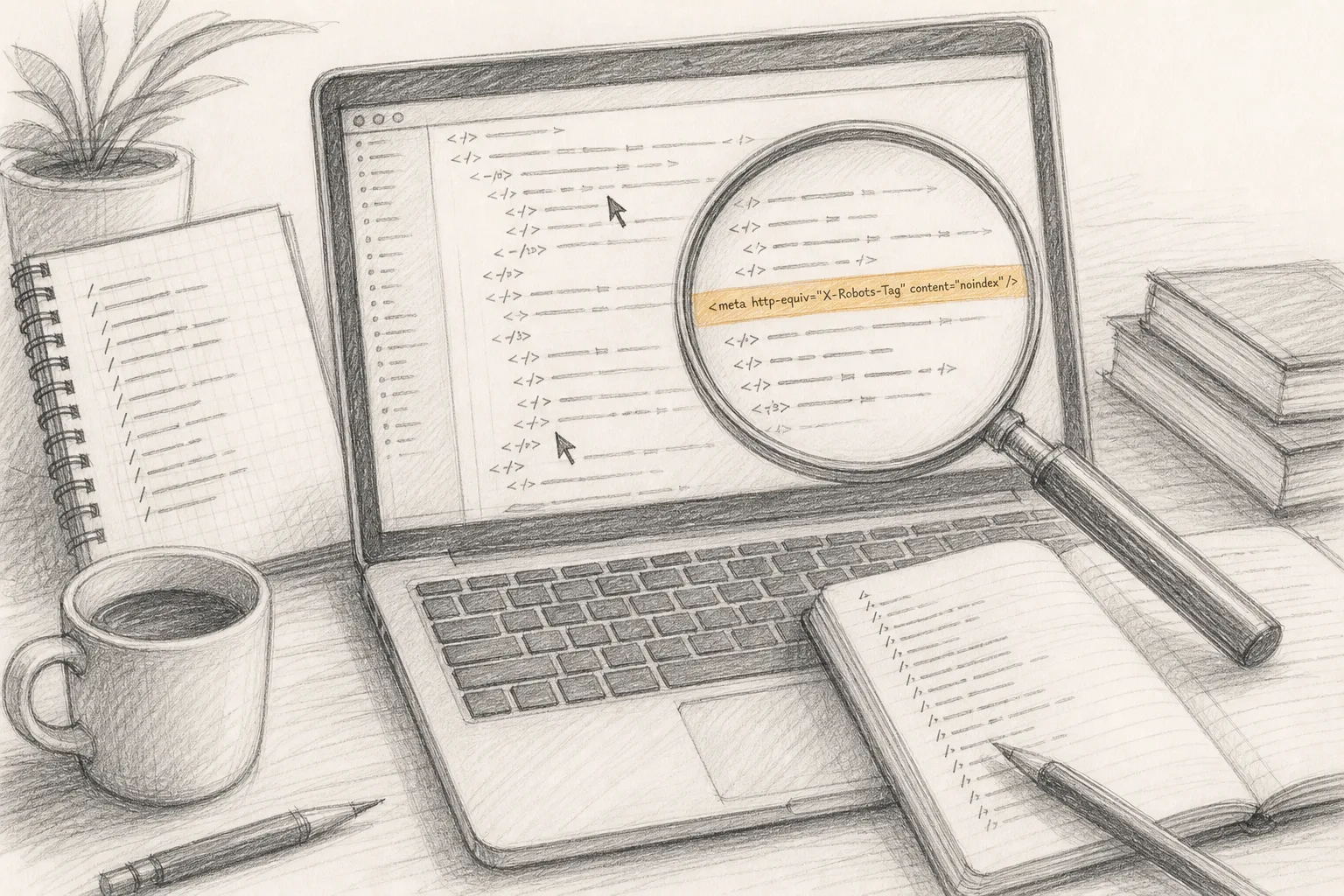
These checks matter, and they are where most audit tools are strongest. On a large site, search findings multiply: a template error repeats across thousands of pages, which is why crawl depth and URL limits matter so much for sites of that size. On a small product site with a handful of pages the picture is different. You can usually read every title yourself. The search findings that hurt are the structural ones: a whole site rendered by JavaScript with an empty HTML shell, a staging noindex tag that shipped to production, or a canonical tag pointing every page at the home page.
A missing meta description, by contrast, is a small loss. Search engines often write their own snippet anyway. It is worth fixing, but it is not the finding that should decide your week.
AI visibility: the area most audits do not measure
AI visibility asks whether answer engines cite you when someone asks a question your product answers. It is different from ranking. SEO earns a ranked link someone clicks; AEO (answer engine optimization) earns a mention inside the answer itself. GEO is the name often given to measuring and improving that share of the answer across generative engines.
Measuring it honestly means asking real questions of real answer engines and reading the answers, repeatedly, because answers vary. A useful measurement fixes a set of questions a buyer would actually ask, puts them to several engines (ChatGPT, Perplexity, Claude, Google AI Overviews, Google AI Mode, Gemini, Copilot), and records how often your site is named. A tool that only reads your pages cannot do this part; it has to query the engines themselves.
The on-site side of AI visibility overlaps with search. An answer engine can only quote what it can read, so the same foundations apply: crawlable HTML, fast clean pages and signals worth trusting. AEO adds passages that stand on their own when lifted off the page, machine-readable structure, and pages a browsing agent can traverse without breaking. This is where Agentic Browsing comes in. If your pricing sits behind a modal that only opens on hover, or your docs load inside an iframe, a person may cope and an agent may not.
Nobody outside the engines knows exactly how they choose sources, and no audit can promise you a citation. What an audit can do is show whether the conditions for being quoted are in place, and measure where you stand today.
Backlinks: who vouches for you
Backlink checks look at who links to your site and whether those links carry weight. For a new product, the honest finding is often "very few", and that is normal. The useful questions are narrower: are the links you have from real pages people read, are any of them from networks that look bought, and do your own pages link to each other so that the authority you earn reaches the pages that need it?
Backlinks are the area where an outside tool with its own index of the web has an advantage over anything that only reads your site. A tool that has crawled a large share of the web will see links you cannot. That is a fair reason to use one if links are your main concern.
Security: why a missing Content-Security-Policy header outweighs a meta tag
Security checks read what your server sends before a single pixel appears: TLS configuration, redirects from HTTP to HTTPS, and the response headers that tell a browser how to protect your visitors. They also look for what an attacker sees first, such as exposed configuration files, verbose error pages or open directory listings.
The Content-Security-Policy header is the clearest example of why this area deserves a place ahead of search tidying. CSP tells the browser which sources of script, style, images and connections your page is allowed to load. Without it, if anything on your page can be made to inject a script (a third-party widget, a comment field, a compromised dependency), the browser has no instruction to refuse it. Related headers do related jobs: Strict-Transport-Security tells browsers to use HTTPS only, X-Content-Type-Options stops them guessing file types, and a frame policy stops other sites embedding yours to trick clicks.
Compare the losses. A missing meta description means a search engine writes your snippet for you. A missing CSP means that, if something else goes wrong, nothing in the browser limits the damage to the people who trusted you with an email address or a card. For a product that asks visitors to sign up, the second loss is larger, and it falls on your users rather than on your traffic.
Two cautions keep this honest. A security header check reports what headers are present and how they are set; it is not a penetration test and not a statement that your site is secure. And a CSP written carelessly can break your own site, which is the first place the areas start to interact.
Compliance: what you owe the people who visit
Compliance checks look at consent, policy pages and disclosures. Is there a privacy policy, and can a visitor reach it from every page? Does the site set tracking cookies before anyone has agreed? If there is a consent banner, does rejecting actually stop the trackers? Are terms, refund wording and company details where a buyer would look for them?
For a small product, compliance findings cluster at the moments that matter most: the signup form, the checkout and the first email. A visitor deciding whether to trust a product they found ten minutes ago reads those pages closely.
An automated check can confirm that a policy page exists, that it is linked, and what cookies the page sets before and after consent. It cannot tell you whether your policy is legally adequate for your market or your data. Treat compliance findings as a list of things to look at with whoever advises you, not as a clean bill of health.
Speed and visual: how the page feels before anyone reads it
Speed and visual checks ask how fast the page loads, whether the layout jumps while it does, and whether it renders properly at every screen size. That covers the familiar performance measures, image weight, render-blocking scripts and fonts, and the plain visual question: does the hero overlap the navigation on a narrow phone, and does the pricing table spill off the side of the screen?
This area answers to people first and search engines second. Slow pages and shifting layouts are part of how search engines describe page experience, but the direct cost is a visitor who gives up before the page settles. The visual side is often missed by tools that only read HTML, because a page can be perfectly valid code and still look broken once styles and scripts run. Checking it means rendering the page in a real browser at more than one width.
Does it work: the area that fails silently
Does-it-work checks ask the most basic question an audit can ask: when someone clicks, submits or follows a flow, does it do what it says? Broken links, forms that post to a dead endpoint, buttons that throw a script error, sign-in pages that loop, a checkout link that points at a test-mode payment page.
This is the area to put first on a small product site, and the reason is the word "silently". A search problem shows up eventually as low traffic. A security header shows up in any scanner. A broken signup form produces nothing at all: no error in your inbox, no dip you can see on a dashboard that only counts visits. People arrive, fill it in, see nothing happen and leave. You find out weeks later, or never.
Search-focused crawlers do catch broken links well; following links is what they do. Forms and flows are different, because testing them means submitting something and watching what happens, which most SEO tools deliberately avoid.
How do the seven areas interact on a small product site?
The areas are not seven separate lists. On a small site, a single change often moves three of them at once, which is the strongest argument for checking them together. Here is one example, carried through.
The example: a three-page AI tool
Picture a solo founder's AI writing tool: a home page with a waitlist form, a pricing page with a payment link, and a docs page. It is built on a JavaScript framework, deployed from a git branch, with an analytics script, a cookie banner and a chat widget added over a weekend. The founder runs an SEO checker, gets a clean result apart from two short titles, and wonders why nobody signs up.
A seven-area inspection of the same site tells a different story.
Security and does it work, together. The founder had read about CSP and added a strict policy. It allows scripts from the site itself and the analytics provider, but the waitlist form posts to a third-party form service the policy does not list in connect-src. The browser blocks the request. The form shows its spinner and stops. The security check passes the header as present; the does-it-work check finds the form submits nothing. Only seeing both explains the cause: the fix is one line in the policy, not removing it.
Compliance and speed and visual, together. The cookie banner loads from a consent provider before anything else and blocks rendering while it does. On a narrow phone it covers the waitlist form entirely, and its reject button sits below the fold. The analytics script fires before the visitor answers. One component produces a compliance finding (tracking before consent), a speed finding (render-blocking script), and a visual finding (content hidden at small widths).
Search, AI visibility and Agentic Browsing, together. The docs page renders its text with client-side JavaScript after load. A search engine that renders scripts may eventually see it; a simpler crawler and some answer-engine fetchers see an empty shell. The pricing details sit inside a tab component that only reveals text on click. A browsing agent asked "how much does this tool cost?" cannot reach the answer without guessing at the interface. The search check flags thin content on the docs page; the AI visibility side shows the site is absent from answers about its own category; the Agentic Browsing factor shows why.
Backlinks, last and least. The site has a handful of links from launch posts. That is expected for its age and it is the least urgent finding on the list.
What the example shows
Read in isolation, the SEO checker's clean result was accurate and beside the point. The two short titles were real findings and the smallest ones on the site. The founder's actual problems were a blocked form, a banner that hid it, and pages that machines could not read. Every one of those crossed area boundaries, which is why a tool that looks at one area at a time can report each piece correctly and still miss the cause.
The order of fixes follows from what breaks first: the form (no signups happen at all until it works), then the banner (it hides the form on phones and tracks before consent), then rendering the docs and pricing as plain HTML (machines cannot read them), then titles and links. Fix in that order and each fix makes the next one worth more.
What can an automated audit not settle?
An honest audit has limits, and you should know them before you trust any report.
It is a snapshot. A scan describes the site as it is today. Sites drift: a redesign drops a tag, a deploy breaks a form, a new page ships without structured data. Re-scan after a redesign or a big deploy, because last month's clean result says nothing about this morning's release.
It sees what a visitor sees. An outside scan reads the live site the way any visitor or crawler would, which is its strength: it reflects reality, not what you believe is configured. It also means it cannot see inside your server, your logs, or data only Google Search Console and Bing Webmaster Tools hold for your verified domain. Those tools are free and complementary; free SEO optimization tools that read your live site explains what each adds.
It reports findings, not assurance. Security and compliance checks measure against a published bar. Passing them is not a certification that the site is secure or compliant, and failing one is not a legal finding. They tell you where to look.
It measures conditions, not outcomes. An audit can show that your pages are readable, quotable and fast. It cannot promise rankings, traffic or a mention in an AI answer, and you should be wary of any report that does.
Scores compress judgement. A score out of 100 is useful for tracking change, but two findings with the same score can differ enormously in cost. The broken form in the example might lose you every signup; a missing header might never be exploited. Read the evidence, not just the number. What a full SEO audit should contain sets out why every finding needs its evidence, its threshold and its fix.
Comparing your options for a full website audit
There are several ways to audit a site, and each suits a different site and owner. The table compares them on what they are for, not on a ranking.
Approach
What it is good at
Where it stops
Who it suits
Desktop SEO crawler (for example Screaming Frog SEO Spider)
Deep, configurable crawls of links, titles, redirects and indexing signals
Mostly the search area; Vemetric notes "The free plan limits to 500 URLs per crawl."
Technical SEOs and owners of larger sites who want raw crawl data
SEO suite site audit (for example Ahrefs Site Audit)
Broad on-page and technical SEO coverage; Vemetric lists it for "170+ technical and on-page SEO issues"
Centred on search rather than security, compliance or working flows
Search, AI visibility, backlinks, security, compliance, speed and visual, and does it work, from a URL
The free readiness scan covers 6 of the 7 areas and the full audit opens the rest; a snapshot from outside, not a deep crawl of a very large site, and not a certification
Makers and small teams with a small site and no SEO team
Where the alternatives are the better answer
If your site has thousands of pages, a dedicated crawler is the better tool for the search area. Template problems at that scale need crawl depth, custom extraction and the ability to compare one crawl with the last, and that is what crawlers are built to do.
If backlinks are your main concern, a tool with its own index of the web will see more links than any tool that starts from your site.
If one area is your whole worry (you are preparing for a security review, say, or chasing a performance regression), a specialist tool in that area, used with care, will go deeper than any general audit.
And no tool replaces reading your own site as a stranger would. Open it on a phone, on a slow connection, with cookies rejected, and try to sign up. Much of the does-it-work area can be found that way in a few minutes.
The case for a seven-area inspection is narrower and, for most makers, more pressing: a small product site has few pages, many moving parts and no one whose job is to watch them. The risk is spread across areas, and the costly failures sit where the areas meet.
What to do with this next
Before you change a single title, try your own signup flow on a phone with cookies rejected, and check what response headers your home page sends. Those two checks take minutes and cover the two areas most likely to be costing you without telling you. Then read your home page source with scripts disabled, to see what a simple crawler or answer-engine fetcher sees.
If you want all seven areas measured together, the readiness scan runs 156 checks across 6 of the 7 areas from a URL, with no account. The full audit adds 40 more checks, opens every check to its evidence and its exact fix, adds the deeper rendered-UX, AI-visibility and backlink findings, and puts 10 questions to 7 answer engines to measure your share of the answer. It is $19 one time, and it does not change how you are scored, only how deep you see. Unlock it from your report.
Short answers
How much should a website audit cost?
It depends on who does it and how deep it goes. Many automated checks are free, and the free tools from the search engines cover your verified domain. Paid automated audits are usually priced per site or per month, while a human consultant's review costs more because it buys judgement and time. Whatever you pay, ask for evidence and an exact fix behind every finding, not only a score.
Can you audit a website?
Yes. Any public website can be audited from outside, because an audit reads what any visitor or crawler receives: the HTML, the response headers, the rendered page and how its forms and links behave. If you own the site, add the data only owners can see, such as Google Search Console and Bing Webmaster Tools, and test your own flows by hand. If you do not own it, keep to reading what is public; never submit test data into someone else's forms. What a free SEO scanner can tell you explains where an outside view stops.
Can ChatGPT do an SEO audit?
A chat assistant can review HTML or page text you give it and point out issues it recognises, such as a missing title or an unclear heading, and that can be a useful second opinion. It is not a measuring instrument on its own. Unless it runs tools against the live site, it does not see your real response headers, timing, rendering at different screen sizes or whether a form submits, and its answers can vary from one ask to the next. Use it to explain findings, and use a tool that reads the live site to produce them.
Catch SEO regressions after a deploy: baseline production, then re-check robots.txt, noindex, canonicals, redirects, raw HTML and certificates on every release.
The free SEO tools that read your live site: Search Console, Bing Webmaster Tools, PageSpeed Insights, Rich Results Test, a crawler and a readiness scan, in order.
A full SEO audit gives every finding its measured signal, the threshold it failed, evidence from your page and the exact fix, ordered by what breaks first.