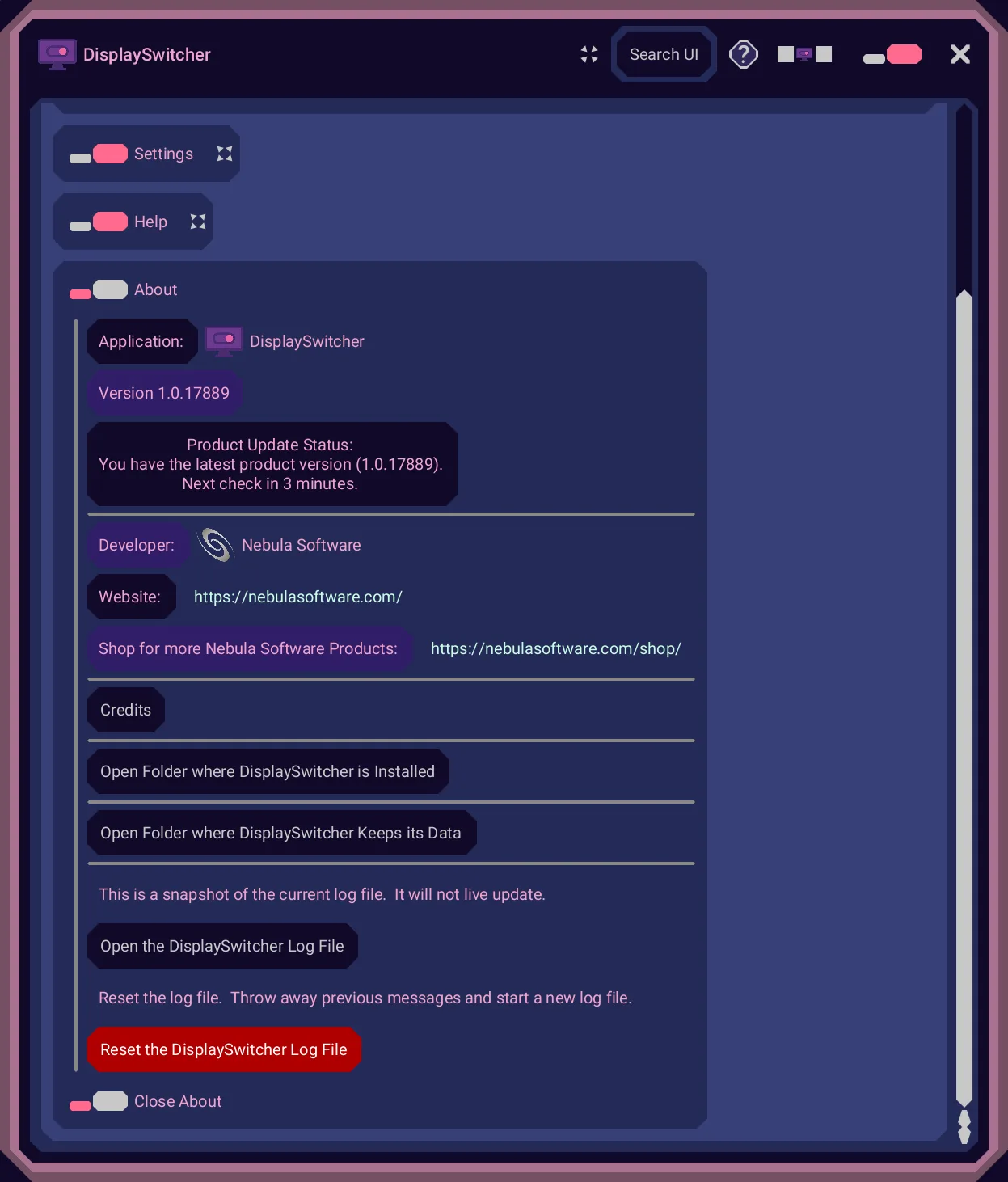
DisplaySwitcher: the product you can install today
The DisplaySwitcher listing frames the problem from the inside. "Monitors, Operating Systems (OSes), ports (HDMI, DisplayPort), cables all must comply to the standard for monitor switching but they often do not and just fail to work, or your Monitor manufacturer doesn't support software for your OS." Its own example is a Dell monitor that will KVM switch from Windows to macOS but not back, because Dell offers no macOS software for it. The fallback is the row of physical buttons under the bezel.
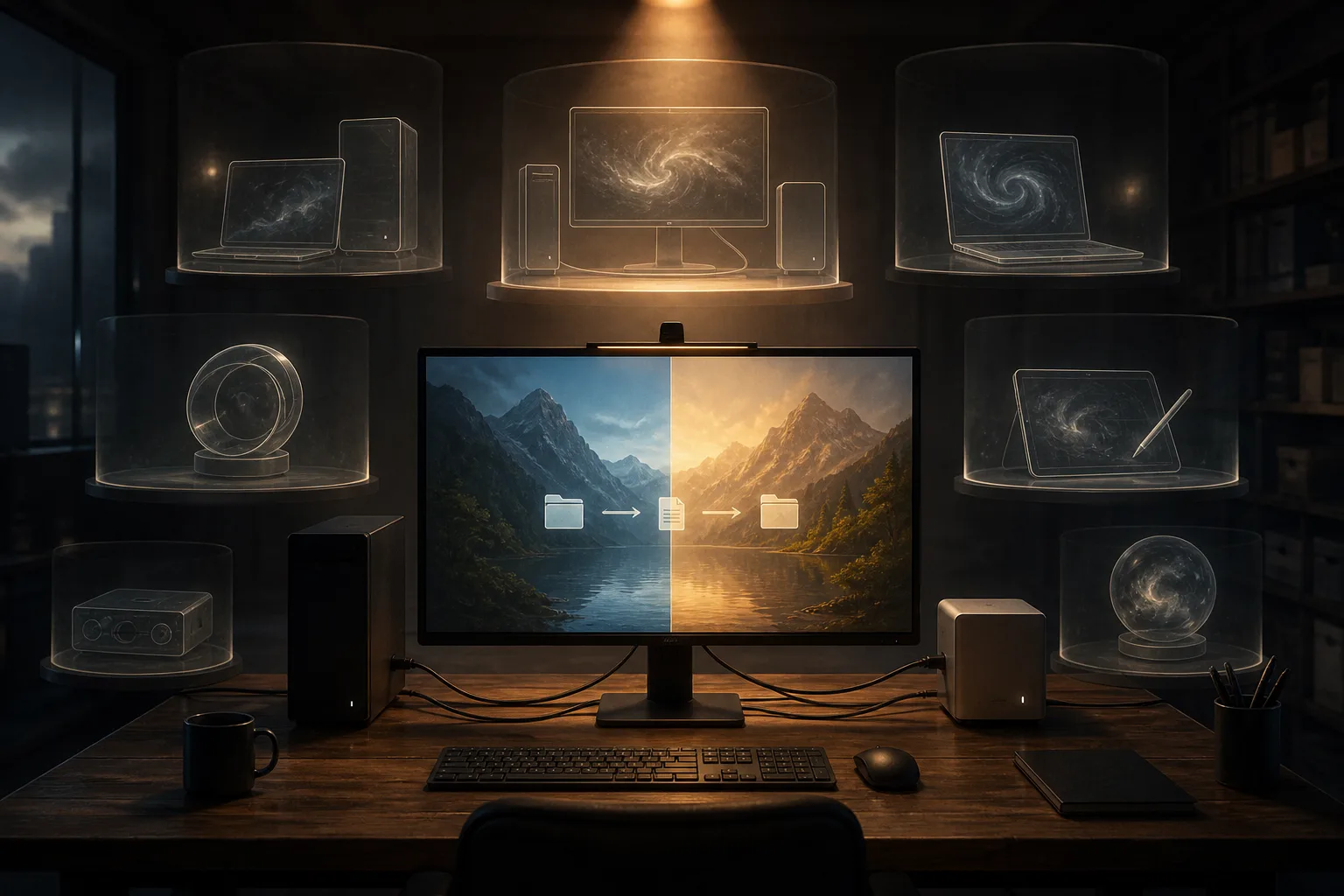
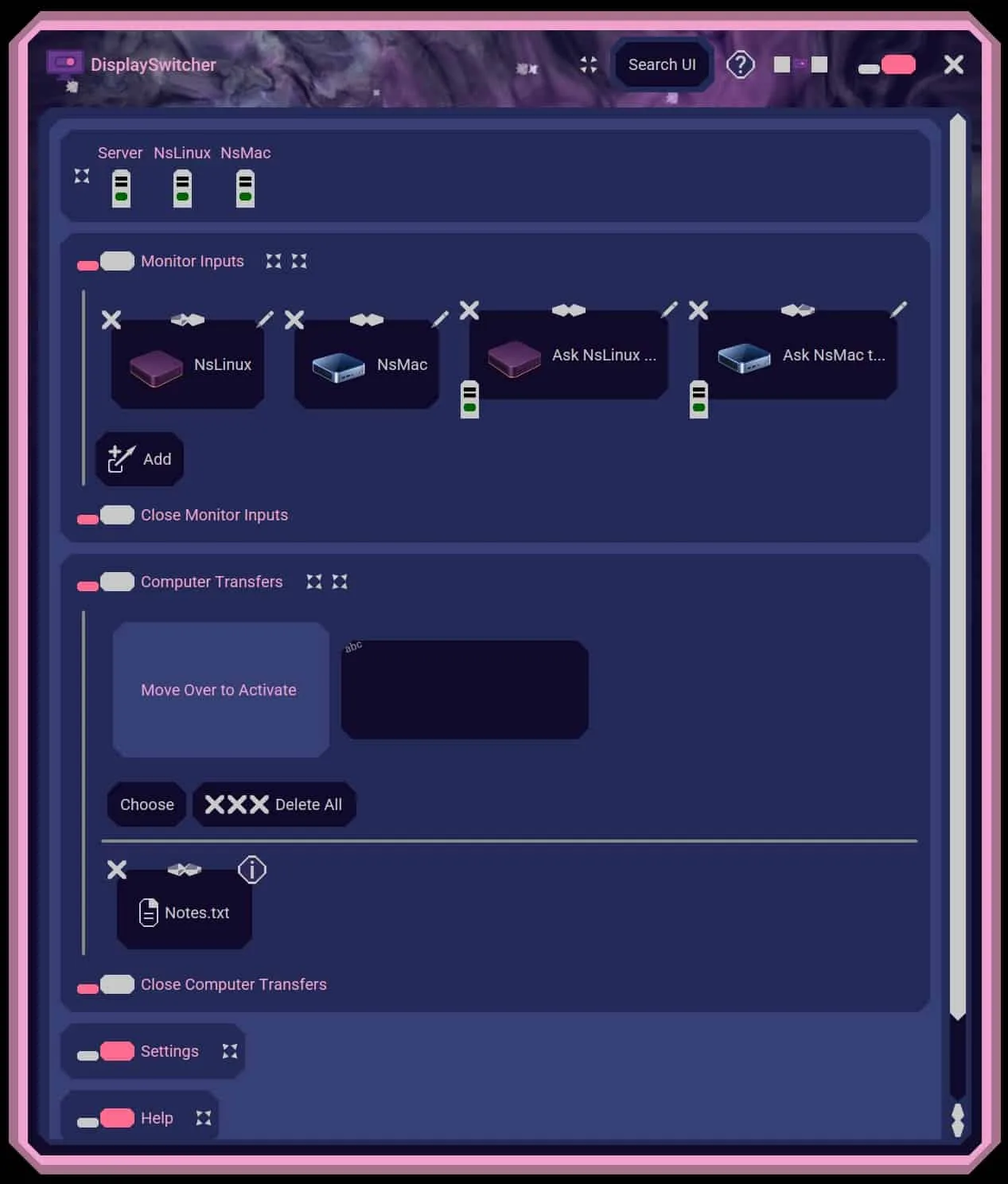
The fix is a software button. DisplaySwitcher works with any monitor that supports DDC/CI, the Display Data Channel / Command Interface standard, which the listing notes most modern monitors do. It sends a "switch video input" command from your computer to the monitor through the cable that already connects them. The monitor changes its video source, and if the monitor is KVM enabled your keyboard and mouse move with it.
Computer running DisplaySwitcher
  |
  | DDC/CI command over
  | the monitor cable
  v
Monitor switches its input
  |
  | KVM monitor: the keyboard
  | and mouse follow it
  v
Text and files move between your computers
Because the app runs on all three operating systems, the machine you are sitting at can always issue the switch, whatever it is. A computer that cannot switch the monitor itself can ask one that can, a relay the listing describes as a bonus capability.
The second capability is the one that turns a switcher into a desk tool. DisplaySwitcher moves text and files between your computers, by cut and paste, drag and drop, or file browsing. Two machines share one monitor, and the clipboard you needed is on the other machine: that is the job this answers.
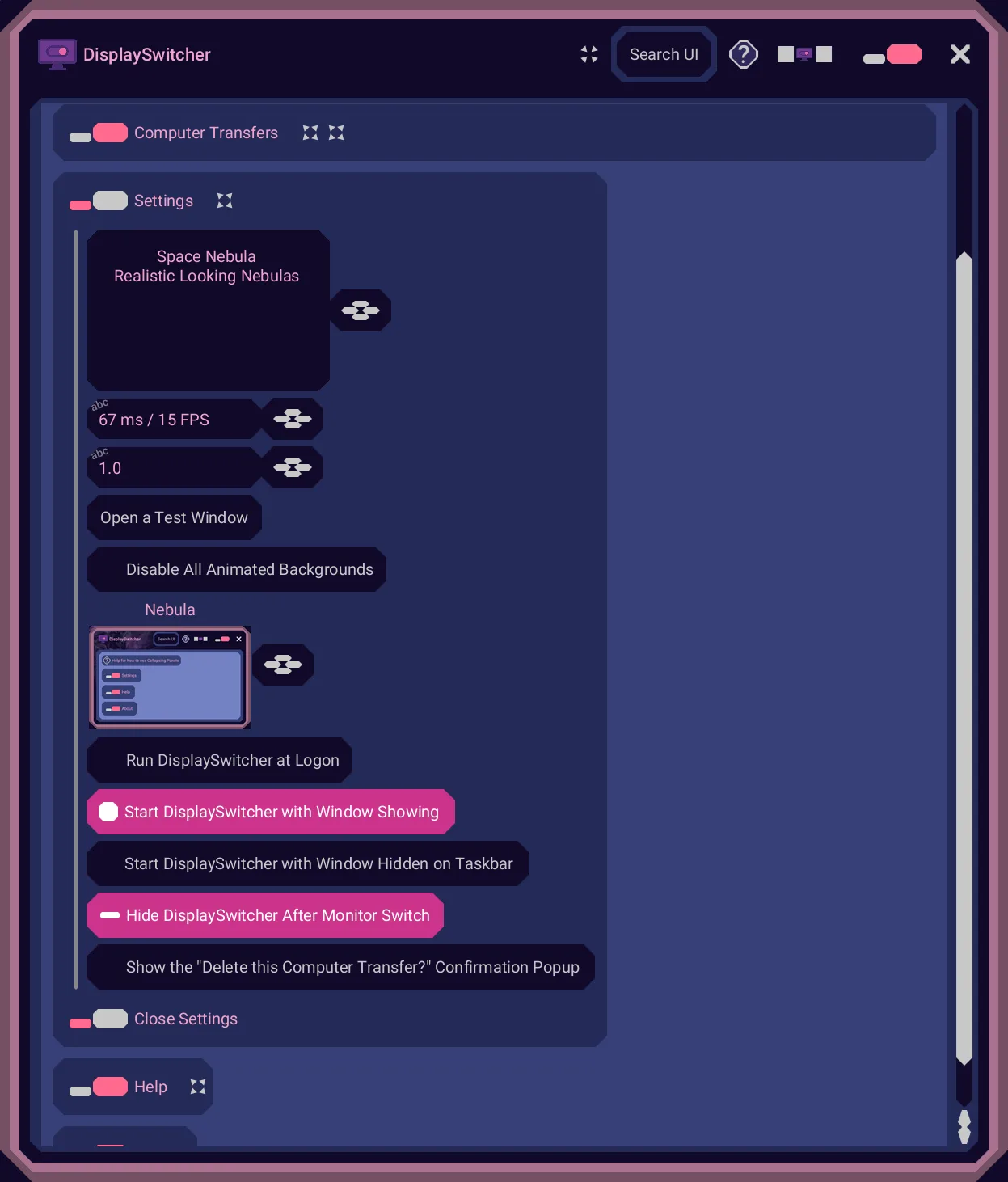
What you control beyond the input choice is set out in the documentation's own sections: Monitor Inputs, Computer Transfers, a Delete Computer Transfer Confirmation, Run at Logon, Start with Window Hidden, and Hide DisplaySwitcher Window after Monitor Switch. The installer sets the app to run at logon on all three systems, and the documentation explains how to change that. Installers update themselves, the application updates itself, and each operating system has an uninstaller documented with screenshots. The listing also publishes two videos: one titled as an advertisement of the concepts, and one described as the actual product doing a computer transfer and a monitor switch.
The offer is stated plainly: "Try DisplaySwitcher for one month free. If it doesn't work for you for any reason, then just cancel your subscription through your account page. No need to contact us." For a utility whose success depends on your specific monitor and cable, a trial that ends without an email is the right shape.
What your hardware and OS have to do
| Operating system | Minimum | Architecture | Monitor requirement | Documented blockers |
|---|
| Linux | Ubuntu 18.04 (officially tested on Ubuntu) | 64-bit x86_64 | External monitor with DDC/CI over the active connection | i2c permission needed; Wayland may block access; USB-to-HDMI adapters and docks often block DDC/CI |
| macOS | 11.0 Big Sur | Apple Silicon (arm64) only | External monitor with DDC/CI, best over USB-C or DisplayPort | Internal displays unsupported; built-in HDMI may not pass DDC/CI; USB-C to HDMI adapters frequently unreliable |
| Windows | Windows 10 | 64-bit x86_64 | External monitor with DDC/CI | USB-to-HDMI adapters often block; docking stations may interfere; DisplayPort-to-HDMI converters unreliable |
On Linux the documentation is honest about its own testing: it says DisplaySwitcher is "only officially tested on Ubuntu Linux," and then, as a vendor claim, that it should work on virtually any 64-bit x86_64 distribution from the past 5+ years. It names the candidates: Ubuntu 18.04 and newer, Debian 10 and newer, Linux Mint, Pop!_OS, Fedora, Arch Linux, Manjaro, Zorin OS, Elementary OS, openSUSE. DDC/CI on Linux travels through /dev/i2c devices, so your user account needs permission to touch them: run as root, or join the i2c group and add the udev rule the documentation prints in full. Wayland adds a wrinkle the docs do not hide: some display servers block low-level hardware access, and the suggested workaround is an X11 session.
The Mac build has hard edges. macOS 11.0 Big Sur or later, Apple Silicon only, and the documentation states in parentheses that it is not available for Intel CPU based Macs. External monitors only, with DDC/CI best over DisplayPort or USB-C; the built-in HDMI port may not carry it, and USB-C to HDMI adapters are called frequently unreliable. On the trust side, the build is signed and notarized by Apple for Gatekeeper.
Windows needs 64-bit Windows 10 or later on x86_64, and repeats the external-monitor rule: internal laptop displays are not supported. The blockers worth checking before you subscribe are connection hardware. USB-to-HDMI adapters often block DDC/CI, some docking stations interfere with the signalling, and DisplayPort-to-HDMI converters are unreliable for it. If a dock or an adapter sits between your computer and your monitor, the DisplaySwitcher documentation names that risk before you pay anything.
DonutHole: one JAR, one Java bug
Nothing on this site is pitched more precisely. DonutHole is a JAR file that gives Java developers on macOS mouse and keyboard click-through on translucent pixels, a capability the listing says "has been broken in Java since release 1.7 in 2011." That is a claim about a Java bug the site dates to 2011, and it is the entire reason the product exists.
Definitions matter here, and the listing gives them. A transparent pixel is completely see through, opacity zero. A translucent pixel is partially see through. On macOS, Java passes neither kind through: a click or keystroke on a transparent or translucent pixel never reaches the application behind it. A developer who wants a window with a translucent rectangle cut out cannot build it as one window.
The documented workaround is ugly: four separate, independent windows arranged to fake a single window with a rectangular gap between them. DonutHole replaces the four-window construction with one window containing a translucent cut out, through which mouse and keyboard events reach the application behind it.
A mouse or keyboard event
lands on a translucent pixel
  |
  | opacity at or under the
  | threshold you set
  v
DonutHole hands the event
to the window behind yours
The control you get is the threshold. You decide which opacity levels pass events through, anywhere from 255 down to 0, so pixels near a fully transparent cut out can stay partially visible and still pass clicks, which is how you get smooth edges instead of a hard hole. The listing says it allows interaction with the DonutHole Java Class to turn seeing through on or off, per window, and to change the level. The supports list is short and specific: translucent pixels, a translucent threshold level, on and off per window, mouse, keyboard.
Licensing is where a developer should read closely. The listing licenses the JAR "on a subscription basis, allowing unrestricted use in your own applications," in any number of products you develop and distribute, commercial or free, with no additional licensing fees or royalties. The same listing states the trade: "DonutHole checks a license server. If your subscription becomes inactive, the DonutHole feature in your application will stop working." Ship it inside a product of your own and that product inherits the check.
Status matters for this one too: DonutHole is a future product. The listing is a description of software that does not exist yet, with an email notification link in place of a buy button.
Quasar and the U channels: one idea in four shapes
Four of the seven products are the same idea pointed at different screens: pull your phone's photos and videos out of cloud storage automatically, then show them where you actually look at them. Quasar does it on a desktop. UPhotoView, UVideoView and UScreenSaver do it on a Roku TV.
Phone photos sync to the cloud
  |
  | iCloud, Google Drive,
  | OneDrive
  v
Quasar or UPhotoView pulls
them down automatically
  |
  v
Display on your desktop
or your Roku TV screen
Quasar runs on Linux, macOS and Windows and pulls from the cloud homes its tags name: iCloud, Google Drive, OneDrive. The pitch is that you choose the display system yourself. Any computer, a small monitor or a huge one, a touchscreen if you want one, as much storage as you like, and Quasar turns it into a photo display that also plays videos. The listing sells this as the end of the cheap digital photo frame with its tiny low quality screen, and as a way to share photos with friends and family. The emotional claims, enjoying "10's of thousands of life time memories everyday," are the listing's own marketing; the mechanism, automatic download and display, is the part a buyer can hold the company to.
UPhotoView puts the same loop on a Roku TV. Its notable framing is storage: the listing says it downloads photos as it needs to display them, so the TV's storage never limits how many photos you can view. You can navigate manually or let it cycle while you go about the house.
UVideoView is the video version, and adds one control the others lack: you can choose whether the sound plays. UScreenSaver is UPhotoView in a different costume, the same photo cycling triggered by the Roku TV's own timeout, so the screensaver becomes your own photographs.
All four are future products, so every claim above is an announcement. What is notable is that the company writes the same mechanism into each, which suggests shared engineering rather than four separate bets.
UMyStuff: "Universal My Stuff" on Roku
The most unusual idea on the site is UMyStuff, a Roku channel whose name unpacks as Universal My Stuff. The problem it targets is one anyone with three streaming subscriptions knows: the list of what to watch is scattered across every app on the TV. The listing dramatizes it with a claim of over 15 minutes lost to channel-hopping before you find something to watch, a figure that is the company's own.
The mechanism is deliberately light. You keep using each service exactly as you do today, saving shows to whatever that service calls your list. UMyStuff gathers those lists into one channel.
| Service | What it calls your saved list |
|---|
| Apple TV+ | Continue Watching |
| Disney+ | Watchlist |
| Hulu | My Stuff |
| Max | My Stuff |
| Netflix | My List |
| Paramount+ | My List |
| Peacock | My Stuff |
| Prime Video | My Stuff |
| Starz | Playlist |
Monitoring is the second half of the pitch. The listing says UMyStuff monitors your shows and tells you when there is a new episode you have not watched yet, and it spares a line for the "New Episode" badge problem, the label that sits on a show thumbnail after you have already watched that episode. Both claims are the company's description of software that does not exist yet, and the listing says so in its own bullets. When it does launch, purchase happens on the Roku TV only.
What it costs, and how the subscription works
| Product | Price | Free trial | Where you buy it |
|---|
| DisplaySwitcher | $5.95 / month | 1 month | The website shop |
| Quasar | $5.95 / month | 1 month | Website, when it exists |
| DonutHole | $5.95 / month | 1 month | Website, when it exists |
| UMyStuff | $5.95 / month | 1 month | Roku TV only |
| UPhotoView | $5.95 / month | 1 month | Roku TV only |
There is one tier per product. No annual plan appears anywhere on the shop, so a year of DisplaySwitcher is twelve payments of $5.95, which is $71.40. Nothing bundles the products together: each of the seven is its own subscription, so a household wanting photos on both a desktop and a Roku TV would be paying two of them once those products exist. The shop itself is a conventional cart, with quantity fields, add-to-cart links, and Cart and My Account pages in the navigation.
The trial is one month wherever it is stated. Every product card prints "Free trial: 1 month," and section 2 of the End User License Agreement agrees: "All Nebula Software products include a 1 month free trial."
Cancellation, at least for DisplaySwitcher, is self-service: the account page, no contact required.
The End User License Agreement, read closely
The license agreement opens with a sentence you do not often meet in a EULA: "This license is short, fair, and easy to understand." It is, and it is arranged under five plain headings: Who Owns this Stuff, Trial and Licensing, What You're Allowed to Do, What You're Not Allowed to Do, and Not Our Fault if it Breaks.
The load-bearing clause sits in section 2: "All products regularly connect to our licensing servers to verify your subscription status. If your subscription is inactive, the software automatically stops working." For a developer the next sentence goes further: "This includes developer components, like DonutHole, which will also stop working if your license becomes inactive, even if they are built into your own products." The End User License Agreement and the DonutHole listing say the same thing in different words, so this is a consistent, deliberate design rather than an accidental clause.
The rest of the terms are conventional. You license the software rather than own it. While your subscription is active, or during the trial, you may use it, and you may redistribute developer components inside your own apps. No reverse engineering or tampering. Licenses are granted per individual and may not be shared or transferred. The software is provided as-is, with no liability for damages. The site's sitemap gives the EULA a last-modified date of 10 July 2025, which is the only version date the site publishes.
Who you are buying from
The company is one person, and the site says so on a page four sentences long. What that means for a buyer shows up in the reviews. Every product carries a reviews tab, and every tab contains exactly one review. On all seven products that review is signed Boyd Edmondson, dated 8 March 2025, except DisplaySwitcher's, dated 26 March 2025, and the text is the same each time: "I think you are going to love this product!" The About page names Boyd Edmondson as the company. There is no independent customer feedback anywhere on this site, and the review form notes that only logged-in purchasers may leave one. A buyer should treat the product descriptions as the vendor's own account of his software, which is how this review has treated them.
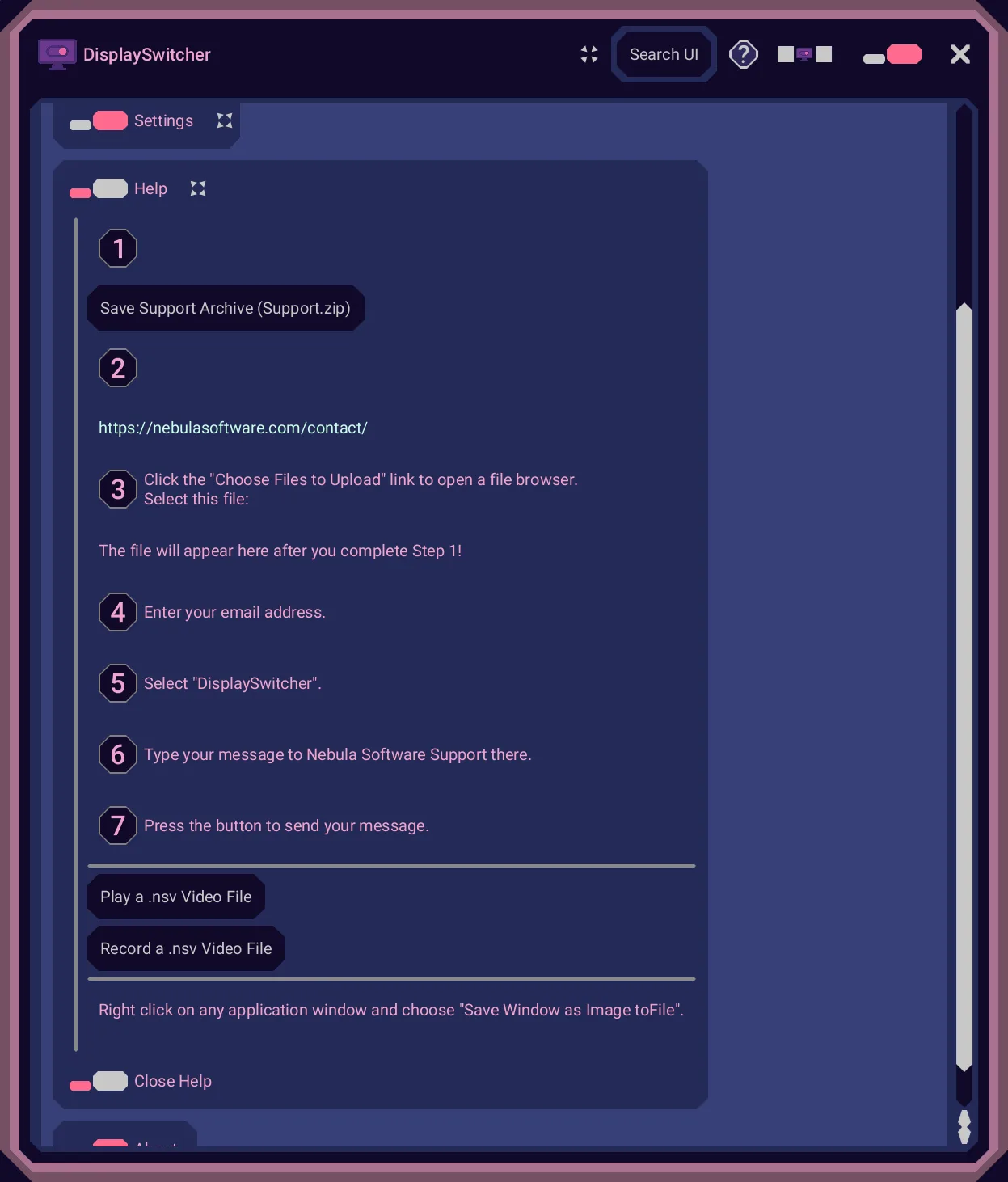
Documentation is where the company over-delivers for its size. Every product, including the six that do not exist yet, has a documents section on docs.nebulasoftware.com, hosted on Archbee, and a video channel on videos.nebulasoftware.com. The DisplaySwitcher documentation walks through install, uninstall, pinning to the Dash, Dock or Taskbar, and logon behaviour on each operating system, with screenshots and short demo videos at every step.
Support, per the support page, is documentation plus a contact page. The buy page links to the shop, the cart and your account. For a one-person operation, the self-service shape of everything, auto-updating installers and account-page cancellation among it, is the design answer to there being one pair of hands.
What Nebula Software does well
- It ships a genuinely cross-platform utility: separate installers for Linux, macOS and Windows, each with its requirements written down, including the ways DDC/CI fails.
- The Mac build is signed and notarized by Apple, which is not a given for software from a one-person shop.
- Installers and the application update themselves, so the version you install is the current one.
- The trial and cancellation are self-service: a free month, then cancel from the account page with no email required.
- DonutHole's license permits embedding in any number of your own apps, commercial or free, with no royalties.
- Documentation and a video channel exist for every product, including ones not yet released.
What to weigh before subscribing
- Six of the seven products are announcements with prices and no release dates.
- Renting, not owning: every product phones a license server and stops working when payments stop, and no perpetual option appears on the shop.
- A developer embedding DonutHole passes that check on to apps already shipped.
- Intel Mac owners have no build to install; the Mac version requires Apple Silicon on macOS 11 or later.
- Monitor input switching lives or dies on the cable path, and adapters, docks and converters can block DDC/CI before you ever see it work.
- Independent customer feedback does not exist on this site yet.
Who should buy DisplaySwitcher, and who should wait
Buy the free month if this is your desk: one external monitor with DDC/CI, two or more computers running different operating systems against it, and a row of bezel buttons you are tired of pressing. Spend five minutes with the requirements first. On Linux, confirm your user can reach the i2c devices. On a Mac, prefer DisplayPort or USB-C over HDMI. If a dock or an adapter sits between your computer and the monitor, the documentation names the risk before you pay anything.
Wait, plainly, if you came for anything else on the shop. Quasar, DonutHole and the four Roku products are future listings with prices and no dates, and there is nothing to evaluate beyond their pages. Wait too if renting a utility forever is the wrong shape for you: no perpetual option exists, and the license server is not negotiable, because the software stops when the payments stop. A Java developer who would embed DonutHole should think hardest about that clause, since it binds apps already shipped.
As the site publishes it: one shipping product, DisplaySwitcher, at $5.95 per month, one month free, and cancellation from your account page.
Frequently asked questions
What is Nebula Software?
Nebula Software is the trading name of Nebula Software, LLC, a single-person software company run by Boyd Edmondson, whose custom software work the About page dates to 1992. It sells subscription utilities at $5.95 per month each: DisplaySwitcher for switching monitor video inputs and moving text and files, Quasar for photos on a desktop, DonutHole for Java developers, and four Roku TV products for photos, videos, screensavers and watchlists. Only DisplaySwitcher ships as of October 2026.
Which Nebula Software products can I buy right now?
DisplaySwitcher is the only one. Its listing carries a Subscribe now button at $5.95 per month with a one-month free trial. The other six, Quasar, DonutHole, UMyStuff, UPhotoView, UVideoView and UScreenSaver, each state in their own bullets that they are future products that do not exist yet, and offer an Email Me When Available link instead of a purchase. The four Roku products will only ever be purchasable from a Roku TV.
It sends a command over the cable that already connects your computer to the monitor, using DDC/CI, the Display Data Channel / Command Interface standard that most modern external monitors support. The command is a switch video input instruction; the monitor changes its video source, and if the monitor is KVM enabled the keyboard and mouse follow to the new input. Because the app runs on Linux, macOS and Windows, whichever machine you are using can issue the switch.
Does DisplaySwitcher support Intel Macs?
No. The Mac requirements specify macOS 11.0 Big Sur or later on Apple Silicon, the arm64 architecture, and the documentation states that the app is not available for Intel CPU based Macs. On any Mac it also needs an external monitor with DDC/CI, best over USB-C or DisplayPort, since the built-in HDMI port may not pass the commands on some Apple Silicon machines. Internal MacBook and iMac displays are not supported at all.
What happens if I stop paying my Nebula Software subscription?
The software stops working. The End User License Agreement states that all products regularly connect to licensing servers to verify subscription status, and that inactive subscriptions make the software stop automatically. For DonutHole the clause extends to developer components, so applications you have shipped that embed the JAR lose the click-through feature if your license lapses. DisplaySwitcher subscriptions can be cancelled from the account page without contacting the company.
How long is the free trial?
One month. Every product card in the shop prints "Free trial: 1 month," and section 2 of the End User License Agreement gives the same length for every Nebula Software product. The DisplaySwitcher listing describes cancelling through the account page at any time.
Can I ship DonutHole inside my own commercial apps?
Yes, while your subscription is active. The DonutHole listing licenses the JAR for unrestricted use in your own applications, in any number of products you develop and distribute, commercial or free, with no additional licensing fees or royalties. The trade-off is stated on the same listing and in the license agreement: the JAR checks a license server, and if your subscription becomes inactive the DonutHole feature stops working inside apps you have already shipped.
Can I buy the Roku channels from the website?
No. UMyStuff, UPhotoView, UVideoView and UScreenSaver each state that when they become available, purchase will only be possible from a Roku TV, because that is where the pages say Roku allows channel purchases. The website will keep showing them as out of stock even after they launch, and offers an Email Me When Available link in the meantime. No release date is published for any of the four.